


A Better Way to Get Paid and Manage Your Business
At The Dime Bank, we understand how important it is for your business to operate efficiently. That’s why we’re excited to offer Tap2Local™, a simple, all-in-one solution that helps you accept payments, track your money, and stay organized. All using your mobile device right inside The Dime Bank’s mobile banking app.
Get started in minutes and begin accepting payments almost instantly.
- Create, customize, and send professional invoices directly to your customers
- Send payment links to customers
- Take tap-to-pay card payments
- Use QR codes for quick, easy checkout
- Manage payments directly inside The Dime Bank’s mobile banking app
- See your activity and cash flow in real time
Save Time with Automated Tools
- Automatically sync with accounting tools like QuickBooks or Xero
- Reduce manual entry and errors
- Simplify reconciliation and bookkeeping
- Track inventory and manage products
- Keep customer information organized in one place
EASY ENROLLMENT
You will see Ready to accept card payments? on your dashboard within The Dime Bank’s mobile banking app. Sign up by clicking Enroll now. Fill out a few essential business details and you will be notified within the app when the enrollment has been accepted.

PAYMENT ACCEPTANCE
Once you’re enrolled, you can start accepting payments right away in the mobile banking app.
Just tap “Accept Payment,” enter the amount, and add a short description if needed.
Then choose how you want to get paid:
- Tap to Pay: Accept in-person card payments with a quick tap on your device.
- Payment Links: Send a link by text, email, or social media so customers can pay online.
- QR Codes: Show or share a code that customers can scan to pay quickly.
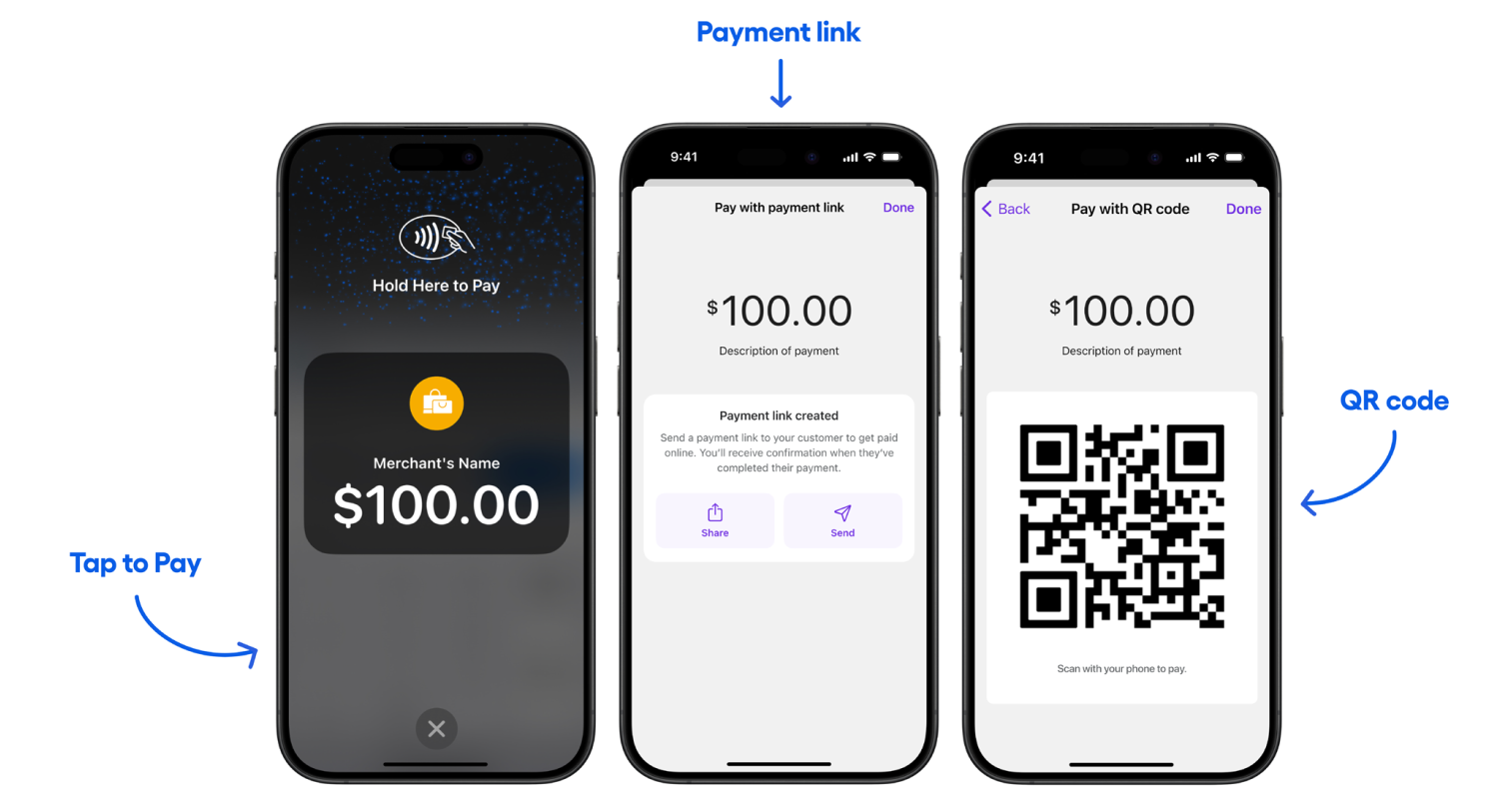
The money is deposited into your account by the next business day, so you get fast access to your funds.
Inventory Management with Product Catalog
The Product Catalog turns Tap2Local into a complete point-of-sale system. You can add and manage your inventory right inside the mobile banking app, including product names, prices, descriptions, and categories.
There’s a “Catalog” tab built into the payment screen, so you can quickly add items to a cart by tapping them.
The cart shows each item clearly and automatically calculates sales tax, so you always see an accurate subtotal and total for every sale.
CUSTOMER MANAGEMENT
Tap2Local helps you keep all your customer information in one place. You can create profiles with names, emails, and phone numbers, and easily connect them to past payments and conversations.
This saves time, reduces duplicate work, and keeps your customer data accurate.
SIMPLE INVOICING & BILLING
Tap2Local makes it easy to create and send professional invoices. Each invoice includes a secure payment link so customers can pay quickly through the app.
You can also send automatic reminders for unpaid invoices, helping you get paid faster without extra effort.
AUTOMATIC ACCOUNTING
Payments can sync directly with accounting tools like QuickBooks and Xero. This means less manual work, fewer errors, and faster bookkeeping.
EASY REPORTS
Tap2Local gives you simple reports to track your business performance. You can quickly see how much money you’ve received and review key metrics—all from your mobile banking app.
Have a more complex payment setup?
If your business requires advanced payment processing, multiple terminals, or a fully scalable solution, explore our Merchant Services offering.
If your business requires advanced payment processing, multiple terminals, or a fully scalable solution, explore our Merchant Services offering.
The Dime Bank believes in creating amazing customer experiences with the best in banking online and in person so your financial goals become your reality. We're your community bank with several branches in Northeast Pennsylvania.

Commercial Real Estate Loan
We’ll help you secure that perfect office location.
Our experienced lenders understand the markets we serve and will work with you to help you succeed.